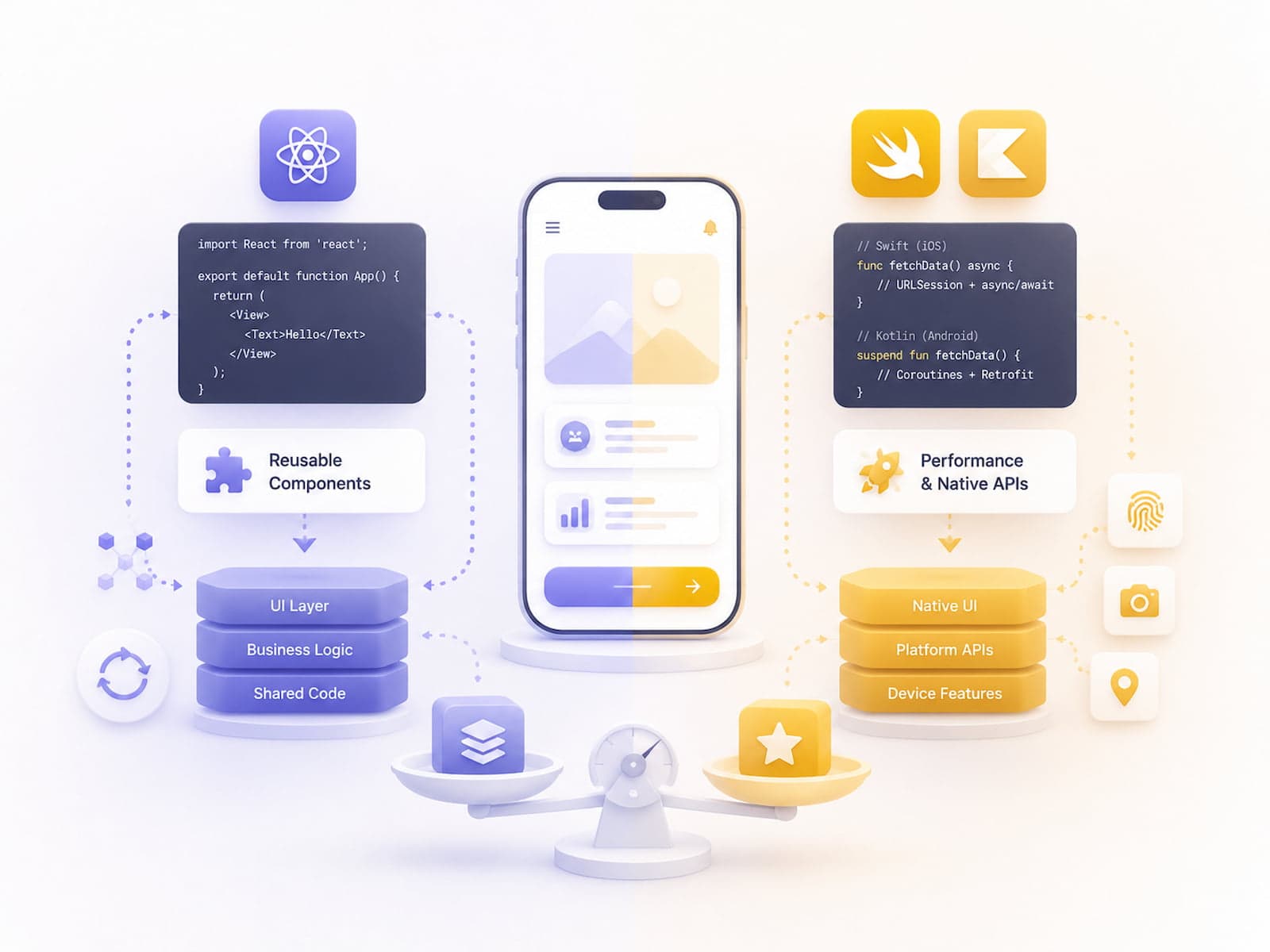
The "native vs cross-platform" debate is no longer black and white in 2026. React Native has moved forward substantially with its new architecture (Fabric + TurboModules + JSI), and Swift and Kotlin are stable, mature platforms in their own right. The decision today isn't ideological — it's a matrix of concrete trade-offs: time-to-market, performance requirements, platform-specific feature needs, team skills, and long-term TCO.
In this article we look at performance benchmarks, developer experience, ecosystem maturity, and five concrete use-case recommendations. The numbers reflect Q1 2026; the market moves fast, so it's worth cross-checking the official benchmarks (React Native release notes, WWDC) as well.
What changed between 2024 and 2026?
The "native vs cross-platform" discourse was firmly polarized back in 2018-2020. Between 2024 and 2026, both sides matured considerably:
React Native — New Architecture (Fabric + TurboModules)
The 2024 0.76 release made the new architecture the default:
- Fabric — a new renderer that runs on the UI thread (the old Bridge was asynchronous). Significantly lower commit latency.
- TurboModules — native module calls became synchronous. JSON serialization overhead eliminated.
- JSI (JavaScript Interface) — a direct C++ binding between the JS engine and native code.
- Hermes — Facebook's JS engine, now the RN default, with a smaller memory footprint and faster startup.
The real-world impact of the new architecture: a 30-40% improvement in cold start and list rendering compared to the old Bridge architecture.
- Swift 6 (2024) — strict concurrency, better compile-time error detection.
- Kotlin Multiplatform Mobile (KMM) — shared business logic across native iOS and Android. A direct competitor to React Native.
- Jetpack Compose Multiplatform — Compose is no longer Android-only; it now targets iOS and desktop too. Still in beta, but maturing quickly.
The alternatives
A few other options have joined the "native vs RN" conversation:
- Flutter — Google's own cross-platform stack. Written in Dart, with its own renderer (Skia). Excellent performance, smaller ecosystem.
- KMM — code sharing only for business logic, UI stays fully native. More boilerplate, but complete UI control.
- Expo (as an RN layer) — managed workflow, App Store deployment with a single command, OTA updates.
This article focuses on the React Native vs native comparison specifically, since that's the most common choice in the Hungarian market. Flutter and KMM would each deserve their own article.
The 2026 new architecture (React Native 0.76+) has meaningfully reduced JS bridge overhead. On a moderately complex app (a 500-item list rendered with FlashList, images, detail-page navigation):
| Metric |
React Native 0.76+ |
Native Swift / Kotlin |
| Cold start (mid-range device) |
1.4-2.1s |
0.8-1.4s |
| Cold start (high-end device) |
0.9-1.4s |
0.5-0.9s |
| Scroll FPS (60Hz) |
58-60 |
60 |
| Scroll FPS (120Hz) |
110-118 |
118-120 |
| Memory footprint (idle) |
70-110 MB |
45-80 MB |
| Memory footprint (active list, 500 items) |
140-180 MB |
90-130 MB |
| Bundle size (release) |
12-18 MB |
5-15 MB |
| TTI (Time to Interactive) |
2.5-3.5s |
1.5-2.5s |
| Animation jank (% frames > 16.6ms) |
1-3% |
0-1% |
The difference is measurable, but most users don't notice it. The cold-start gap is 0.5-1s, which isn't bothersome on high-end devices (iPhone 15+, Pixel 8+) — on lower-tier hardware it is. At 120Hz animation FPS, native wins; at 60Hz the two are practically identical.
A concrete benchmark — list rendering
FlashList (maintained by Shopify, optimized for RN) vs SwiftUI's LazyVStack on a 1000-item list:
Cold render to interactive:
  FlashList (RN 0.76 Hermes):   1850ms
  SwiftUI LazyVStack:           1100ms
  Difference:                    750ms (RN +68%)

Smooth scroll (10s test, 60fps target):
  FlashList:                    99.2% on-target
  SwiftUI:                      99.8% on-target
  Difference: marginal

Memory growth (scrolling 100 → 1000 items):
  FlashList:                    +35 MB
  SwiftUI:                      +18 MB
These numbers were measured on a mid-range device (iPhone 13, Pixel 6). On high-end devices, both stacks track close to the ideal frame rate.
When does the user actually feel the difference?
- On budget devices (RAM < 4 GB). Here the RN app noticeably feels "heavier."
- Real-time animation or games. Particle effects and gesture-driven animation running at 60fps — RN occasionally drops frames here.
- Long lists (1000+ items). The memory-footprint gap becomes noticeable.
- Camera / media processing. The bridge overhead is dramatic here (RN Camera vs direct AVFoundation).
For "everyday" use cases (lists, detail views, forms, push notifications), users do NOT feel the difference.
Developer experience in detail
React Native's strengths
- Hot reload (Fast Refresh) speed. Typical iteration cycle: save code → app refresh in 0.3-0.8s. Native: a 3-15s build.
- Fast onboarding for web developers. React knowledge is transferable. A senior React developer becomes productive on RN within 1-2 weeks.
- One codebase, two platforms. Typical code sharing: 60-80% (UI flow 60-70%, business logic 80-95%).
- Expo EAS Update — OTA bug fixes without a store submission. A single
eas update command gets the fix to every user within 5 minutes. Native: a 24-48 hour Apple/Google review.
- Native TypeScript support. Type safety from day one.
- Cross-team collaboration. Frontend web and RN developers can work with the same component-oriented mental model.
Native's strengths
- More mature IDE tooling. Xcode and Android Studio's profiler, debugger, and memory graph. Debugging a crash on RN typically takes 2-3x longer.
- Immediate access to platform APIs, no waiting for a native module. New iOS features (ARKit 8, Vision API updates) are available on day one.
- Official Apple/Google docs and sample code for everything. There's a Stack Overflow answer for every problem.
- Cleaner build pipeline (single language, single dependency manager). No Pod + npm + Gradle trio.
- No "second layer" of debugging. An RN bug can be an RN issue, a native module issue, or a JS issue — three separate debugging stacks.
- Long-term stability. Apple and Google maintain everything; there's no "abandoned library" risk.
Detailed DX matrix
| Criterion |
React Native |
Native (iOS/Android) |
| Initial setup |
30 minutes (Expo) |
1-2 hours |
| Hot reload |
< 1s |
3-15s |
| Type safety |
TypeScript |
Swift / Kotlin |
| Platform API access |
Day 7 to month 2 |
Day 1 |
| Debugging tools |
Reactotron, Flipper |
Xcode, Android Studio |
| OTA update |
Yes (Expo) |
No |
| App size optimization |
Limited (Hermes helps) |
Excellent |
| Threading model |
JS thread + UI thread |
Free-form (Grand Central Dispatch / Coroutines) |
Ecosystem and libraries
The React Native ecosystem is mature by 2026, but not every library is actively maintained. The critical libraries are stable:
- react-native-reanimated — sophisticated animation, well maintained (Software Mansion).
- react-native-screens — native navigation primitives, Software Mansion.
- react-native-mmkv — fast key-value storage, Tencent.
- expo-* — managed workflow modules, Expo team.
- @shopify/flash-list — fast list renderer.
- react-native-gesture-handler — gesture system.
But the long tail (smaller libraries, niche use cases) is often abandoned. A typical scenario: a library published in 2022 that solved NFC reading — by 2026 the maintainer is gone, and it no longer runs on the latest iOS version.
On the native side, Apple and Google maintain everything. Third-party libraries (Firebase, OneSignal, Stripe) ship for native first, with RN support following 1-2 months later.
Library-discovery best practices for RN
Before you take on a dependency:
- GitHub stars > 1000 — widely used.
- Last commit < 6 months — actively maintained.
- New Architecture compatible — Fabric / TurboModules-ready.
- TypeScript types included — good DX out of the box.
- Active issues / PRs — the maintainer is responsive.
If a library fails more than one of these checks, write it yourself or find an alternative.
Note: Libraries built for the "old RN architecture" (many from before 2022) often break under the New Architecture. A typical 2024 upgrade meant replacing or updating 5-10 libraries. Budget this into your project maintenance plan.
Job market and team salaries — 2026 Hungarian market
| Role |
Monthly salary (HUF) |
Note |
| Senior native iOS Swift |
1.4-2.2M + bonus |
Tighter supply |
| Senior native Android Kotlin |
1.3-2.0M + bonus |
Stable supply |
| Senior React Native |
1.3-2.0M + bonus |
Growing supply |
| Senior Flutter |
1.2-1.8M + bonus |
Niche supply |
| Mobile lead (cross-stack) |
2.2-3.5M + bonus |
Rare |
React Native developers are typically "full-stack mobile" (covering both platforms), but deep platform-specific work (background fetch, share extensions, NFC, Bluetooth LE) often still needs a native developer to fill the gaps.
Recruiting difficulty
- Native iOS Swift: 2-4 months to fill a senior position.
- Native Android Kotlin: 1-3 months.
- Senior React Native: 1-2 months (web developers cross over).
Team-ratio best practices
- Two platforms, a 6-month project: 2 RN developers OR 1 iOS + 1 Android developer. Cost ratio favors RN by roughly 50%.
- One platform, an intensive feature set: a native stack works better.
- Multi-platform scaling (a 3-5 person team): a native stack is easier to build out (everyone owns one platform deeply).
Five detailed use-case recommendations
Use case 1: B2C app, fast market entry, MVP focus
Setup: A simple feature set (auth, lists, detail views, push). UX doesn't require platform-specific interactions. Goal: ship on the App Store for both iOS and Android within 8-12 weeks.
Recommendation: React Native with the Expo managed workflow.
Rationale: Time-to-market of 6-10 weeks, roughly half the cost of native across two platforms. The Expo managed workflow (EAS Build, EAS Update, EAS Submit) essentially eliminates deployment friction.
Stack recommendation: Expo + React Navigation + Reanimated + TanStack Query + Zustand for state management. ESLint + Prettier + strict TypeScript.
Setup: Real-time video streaming, AR overlays, camera effects. Performance sensitivity is critical. UX features are typically platform-specific (Live Photos on iOS, deep Camera2 API access on Android).
Recommendation: Native iOS Swift + native Android Kotlin.
Rationale: React Native with Reanimated handles animation well, but it doesn't reach native-level performance for real-time media processing. AVFoundation (iOS) and CameraX (Android) capabilities are fully accessible from native code, only partially from RN.
Stack recommendation: Swift 6 + SwiftUI / UIKit, Kotlin + Jetpack Compose. Plus AVFoundation / CameraX for the media pipeline.
Use case 3: B2B app where the UX is standard and backend integration is the main work
Setup: A CRM mobile app, warehouse management, or field-service app. The user flow is linear, and the heavy lifting happens on the backend. Lots of forms, lists, REST/GraphQL fetches.
Recommendation: React Native.
Rationale: 70-80% code sharing across two platforms is the optimal cost ratio. Native modules are unnecessary. B2B users are less sensitive to a flawless native UX — "accessible and fast" is enough.
Stack recommendation: Expo + React Native Paper / Tamagui + React Query + tab/drawer navigation. Auth: Auth0 or Cognito.
Setup: iOS Share Extension, Widget, Live Activity, App Clip. Android App Bundle dynamic delivery, foreground service.
Recommendation: Native.
Rationale: These features are available on RN too, but every new OS feature arrives with a 3-6 month delay for platform-specific modules. If it's a core feature, native is faster and more flexible.
Stack recommendation: Swift + SwiftUI (Widgets, Live Activities), Kotlin + Jetpack Compose. Plus the relevant platform-feature modules.
Use case 5: Internal / enterprise app for a limited audience
Setup: Inventory management for 50-100 internal users. Standard UX, flexible OS-update timing (users are on IT-controlled devices).
Recommendation: React Native or even a PWA (if offline mode isn't needed).
Rationale: A flawless native UX isn't critical for internal use cases. Update velocity (RN OTA updates), on the other hand, is a real advantage — bug fixes reach every user within an hour.
Stack recommendation: Expo + a minimal UI library. Plus enterprise authentication (SSO, MS Entra ID).
Comparative decision matrix
| Criterion |
RN weight |
Native weight |
Note |
| Time-to-market |
+++ |
+ |
RN is ~2x faster |
| Performance (60fps animation) |
++ |
+++ |
Minimal difference on high-end devices |
| Platform-specific features |
++ |
+++ |
Anything is accessible from native |
| Team-size optimization |
+++ |
+ |
An RN team is roughly half the size |
| Long-term maintenance |
++ |
++ |
RN upgrades are a challenge, but doable |
| Total cost (5 years) |
++ |
++ |
RN cheaper to build, native cheaper to maintain |
| Recruiting ease |
++ |
+ |
RN developers are more common |
| OTA bug fixes |
+++ |
+ |
Expo OTA is a major advantage |
| App size |
++ |
+++ |
Native is ~50% smaller |
| Battery impact |
++ |
+++ |
Native efficiency is better |
| Cross-platform UX consistency |
+++ |
+ |
RN looks the same everywhere |
The "++ or +++" ratings are subjective, but they reflect the general state of the market in 2026.
TCO (Total Cost of Ownership) calculation
For a 5-year project (4 years of active development + 1 year of maintenance):
React Native scenario
| Item |
Cost (HUF) |
Note |
| Initial build (3 months, 2 RN devs) |
9-12M |
Mid-senior salary |
| Ongoing development (4 years, 1 dev average) |
60-80M |
1.5-2M / month |
| RN upgrade projects (2 major over 5 years) |
4-6M |
4-6 weeks / upgrade |
| Total, 5 years |
73-98M HUF |
|
Native scenario
| Item |
Cost (HUF) |
Note |
| Initial build (3 months, 1 iOS + 1 Android) |
12-16M |
Mid-senior salary |
| Ongoing development (4 years, 2 devs average) |
100-140M |
Two platforms |
| iOS major upgrades (5 over 5 years) |
2-3M |
Usually smaller |
| Total, 5 years |
114-159M HUF |
|
Native runs ~1.5-1.6x more expensive over a 5-year horizon for a standard B2B app. But that quality gap is often not critical in a B2B context.
For a premium B2C app (intensive UX focus), the calculation flips: the native app's revenue impact can be 20-30% higher thanks to the better UX, which offsets the extra cost.
Migration scenarios
RN → Native (rare, but it happens)
The "the app is succeeding, now we need to go deeper into platform features" scenario. Typical migration time: 6-12 months, a 50-70% codebase rewrite.
Worth considering: staying on RN and selectively writing native modules. This is often better than a full migration.
Native → RN (more common)
The "we're keeping one platform native, but want to move faster on the other" scenario. Typically the team keeps 1 native developer for platform depth, plus 2 RN developers for cross-platform features.
Tip: Don't plan a migration right now. The platform decision made at project kickoff is a 5-10 year commitment. Think it through during the discovery phase, not mid-project.
Official docs and further reading
Related articles from us: App Store & Play Store deployment 2026 — the release pipeline. Getting push notifications right — RN and native push patterns. Mobile app GDPR compliance — privacy fundamentals.
Closing
The good news in 2026: both options are mature and scalable. The bad news: the choice still matters, and getting it wrong can cost 2-3 months of rework.
Cross-platform (React Native) is the default when the use case is a standard B2B app or a B2C MVP. Native, when there are intensive platform features involved or the performance requirement is ≥ 60fps real-time interaction.
The platform decision is a 1-week scope within the discovery phase: use-case analysis, performance-requirement assessment, team-skill audit, 5-year TCO modeling. After that, the actual build takes 8-16 weeks, and it's an iterative process from there.
If you're planning a mobile app project, let's start with a discovery call — the first week's goal is exactly this decision. Getting it wrong is expensive to fix later, so it's better to spend one extra week deciding than three extra months migrating.