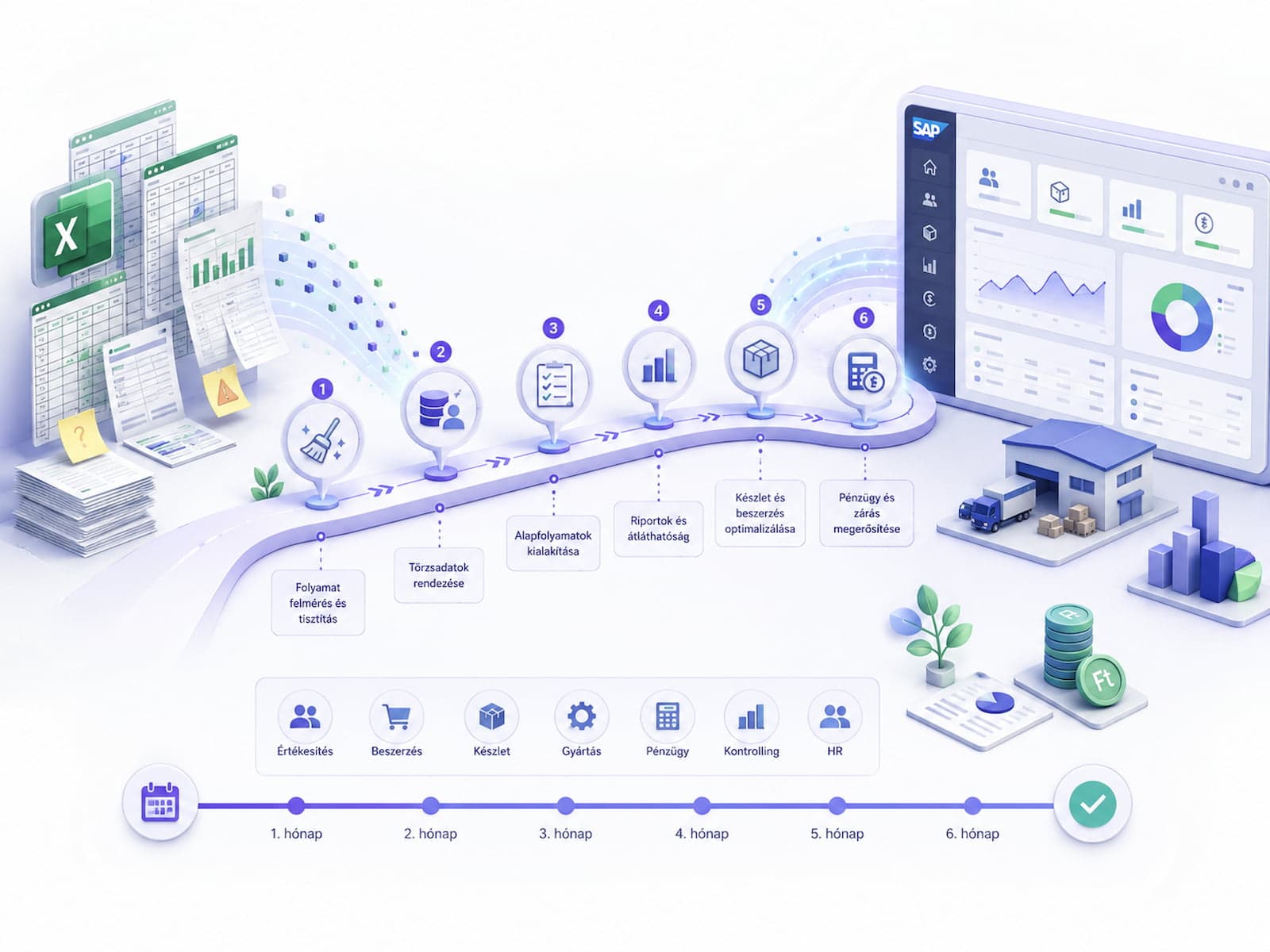
A familiar pattern at SMBs: operations grow up on Excel spreadsheets. At 50-100 employees, the spreadsheets start to strain at the seams — errors creep in with every handoff, key-person dependency builds up, and reporting slows to a crawl. That's when the question comes up: is it time to move to an ERP, and if so, which one?
This article walks through the full six-month transition, broken down month by month. It's concrete, not abstract — covering 2026 SAP licensing options, lessons from the Hungarian market, and three real-world examples.
When does it make sense to switch?
The ideal window sits between "too early" and "too late" — roughly 12-24 months. Here are the concrete signs that Excel has hit its breaking point:
The 6 warning signs
- 4+ hours per week of manual data transfer between systems (e.g. webshop CSV → Excel merge → accounting-software import)
- Faulty Excel transfers 2-3 times a month, affecting amounts of 1M HUF or more
- Reporting lags 1-2 days behind — leadership never sees real-time numbers, and the weekly management meeting runs on four-day-old data
- Key-person dependency — only 1-2 people understand the spreadsheet logic, and if they leave, the knowledge leaves with them
- Audit requirements (ISO 9001, partner audits, supplier traceability) — a manual Excel flow is already hard to defend from an audit standpoint
- A backoffice team of 30+ — coordination at spreadsheet scale no longer holds up
If 3 or more apply, it's worth seriously considering a move to ERP.
If only 1-2 items from the list above apply, it's worth taking a smaller step first. In the Hungarian market, Tradeit (Salesautopilot), Számlázz.hu Pro, or KulcsSoft Webshop Suite work well as an "intermediate" layer. These aren't ERPs, but they solve the webshop → accounting → inventory integration.
Jumping straight from Excel to SAP is risky. Getting ready for ERP-level volume takes time.
SAP licensing options for SMBs in 2026
SAP S/4HANA Cloud, Public Edition
Multi-tenant SaaS, fast deployment.
- Deployment time: 3-6 months
- User cost: $200-400 per user per month
- Customization freedom: limited (Fiori extensions only, SAP-approved ABAP only)
- Best-practice based — includes 40+ industry-standard processes
- Recommended for: fast deployment, few custom flows, 50-200 users
SAP Business One
SMB-segment focus, on-prem or cloud, smaller scope.
- User cost: ~80-150 EUR per user per month (cloud)
- Customization: plug-in based, less robust than S/4HANA's
- Size: typically fits 50-200 users
- Modules: FI, SD, MM, basic CRM, basic production
- Recommended for: classic SMBs with simple operations
SAP S/4HANA Cloud, Private Edition
Dedicated tenant, customization-friendly.
- Deployment time: 6-12 months
- User cost: $300-500 per user per month
- Customization freedom: close to full on-prem (Z-objects, custom modules)
- Recommended for: medium-to-large SMBs, custom flows, future scale
SAP S/4HANA On-Premise
Full control, longer project.
- Deployment time: 8-18 months
- CAPEX model: one-time license cost plus maintenance
- Customization: unlimited
- Recommended for: enterprises, regulatory focus, on-premise data obligations
Decision tree
SMB under 50 employees?
  → Tradeit / Számlázz.hu / KulcsSoft Suite (intermediate step)
  → or Business One

SMB with 50-200 employees?
  → Business One (simpler flow)
  → or S/4HANA Cloud Public (more complex)

Mid-sized, 200-500 employees?
  → S/4HANA Cloud Public (best-practice fit)
  → or S/4HANA Cloud Private (customization)

Enterprise, 500+ employees?
  → S/4HANA Cloud Private or On-Premise
For a typical 50-person SMB: Business One or S/4HANA Cloud Public Edition.
Tip: Choosing a license is a 2-4 week scope of work. Don't rush it — the wrong choice locks you in for 5-10 years. The discovery phase should work through this with an explicit set of questions.
Six-month roadmap, month by month
Month 1: Discovery and scoping
Goal: scope, budget and roadmap signed off.
Activities:
- Process mapping (BPR) — every manual Excel transfer documented
- Business requirements prioritized (MoSCoW: Must / Should / Could / Won't)
- Licensing model chosen
- Implementation partner selected
- High-level scope document plus cost estimate
Output: signed scope, fixed pricing, project kickoff.
Pitfalls:
- Too many must-haves in phase 1 → scope creep, delays
- Choosing a partner on price alone → quality issues during the build
- Leadership doesn't give full scope sign-off → it has to be repeated in month 2
Month 2: Detailed design
Goal: functional spec and technical spec, signed off.
Activities:
- Functional specification (FS) per module (FI, CO, MM, SD)
- Master-data architecture (materials, customers, vendors, chart of accounts, cost centers)
- Integration mapping (third-party systems: webshop, CRM, banking interface, payroll)
- User roles and authorization matrix (RBAC)
Output: signed-off FS documents, technical design document.
Pitfalls:
- FS not signed off → ongoing scope changes during the build
- Authorization matrix skipped → security issues after go-live
- Third-party integrations underestimated (see month 4)
Month 3: Master-data migration prep
Goal: cleaned master data, test migration validated.
Activities:
- Cleaning master data extracted from Excel (duplicates, formatting, missing values)
- Harmonizing material categories
- Customer/vendor master-data cleanup
- Test migration into a sandbox instance
- UAT resources assigned (key users for every module)
Output: cleaned master data plus test migration results.
Typical volumes:
- Material master: 5,000-20,000 records (mid-sized SMB)
- Customer master: 500-3,000 records
- Vendor master: 200-1,500 records
- Chart of accounts: 200-500 accounts
Typical duplication: 5-15% on the customer master, 10-20% on the material master. Cleanup effort accounts for 30-50% of total project time.
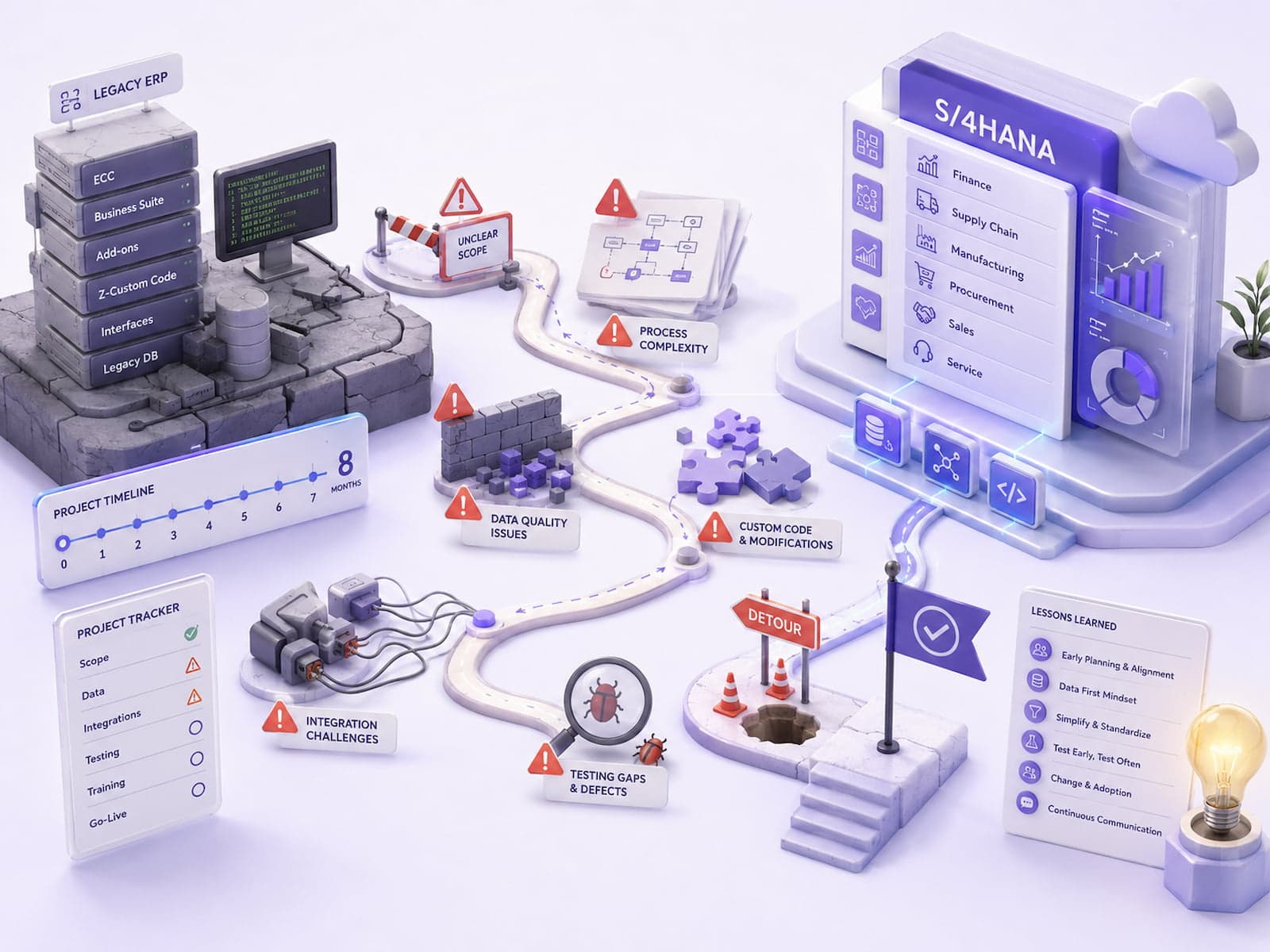
Note: Master-data cleanup regularly takes longer than originally estimated. On one ECC-to-S/4HANA brownfield project, it took 11 weeks instead of the estimated 4 — see Common pitfalls in SAP S/4HANA migration.
Month 4: Customizing and integration build
Goal: SAP customizing complete, QA environment running.
Activities:
- SAP customizing (minimal Z-objects, best practices first)
- Custom interface development (REST/OData for the webshop, banking SFTP for payments)
- Workflow configuration (approvals, approval chains)
- Print forms (invoice, delivery note, quote)
- Test environment build (QA tenant)
Output: customizing complete, QA environment running.
Pitfalls:
- Too many Z-objects (avoid custom code where a best-practice flow will do)
- Interfaces not tested against live workflows
- Print forms neglected (the #1 source of hyper-care tickets after launch)
Month 5: Testing and UAT
Goal: UAT sign-off, training material ready.
Activities:
- Integration testing (end-to-end across interfaces)
- User Acceptance Testing with key users (8-10 people)
- End-user training preparation (manual, video, e-learning module)
- Bug fixing and fine-tuning
- Refining the cutover plan
Output: UAT sign-off, training material ready, cutover runbook v1.
UAT strategy:
- 5-8 real scenarios per module (FI, CO, MM, SD)
- Each scenario walked through by a key user, with documented results
- Bug tracking in Jira or Notion, prioritized (P1/P2/P3)
- P1 bug → blocking → fixed before go-live
- P2 bug → high → fixed during hyper-care
- P3 bug → low → backlog
Month 6: Cutover and go-live
Goal: live in production, hyper-care underway.
Activities:
- Final master-data migration (into the production tenant)
- Cutover weekend (Friday 18:00 through Monday 06:00) — following the runbook
- Production go-live, 30 days of hyper-care
- Manual Excel flow kept running in parallel for two more weeks (rollback option)
- Daily standups during hyper-care
- Weekly retrospective after go-live
Output: live in production, documented support handover.
Sample cutover runbook
Friday 18:00 — Old system frozen, communicate to all users
Friday 18:30 — Final data extract from Excel + 3rd party systems
Friday 20:00 — Master data load to SAP production
Friday 22:00 — Open transactions load
Saturday 06:00 — Print queue setup
Saturday 12:00 — Integration interfaces enabled
Saturday 18:00 — Sandbox UAT (key users) → sign-off
Sunday 06:00 — Production go-live
Sunday 12:00 — Pilot user (small group) tests live workflow
Sunday 20:00 — Full rollout, all users
Monday 08:00 — Hyper-care begins, war room active
Typical cost estimate (Business One, 50 users)
| Item |
Cost |
Note |
| SAP license (50 users × 18 months × $50) |
~16M HUF (3-year average) |
Cloud subscription |
| Implementation cost (6 months × team) |
25-40M HUF |
Partner team, daily rate |
| Hosting (cloud) |
1-3M HUF / year |
SAP-hosted |
| Maintenance (post-go-live, T&M) |
4-8M HUF / year |
0.5-1 FTE partner team |
| Year 1 total |
40-60M HUF |
|
| Year 2-3 average |
8-15M HUF / year |
|
Year 1 + Year 2-3 cumulative
Year 1:   40-60M HUF
Year 2:   8-15M HUF  (cumulative: 48-75M)
Year 3:   8-15M HUF  (cumulative: 56-90M)
Year 4:   8-15M HUF  (cumulative: 64-105M)
Year 5:   8-15M HUF  (cumulative: 72-120M)
5-year TCO: 72-120M HUF for a mid-complexity project.
ROI calculation
ROI typically lands between 18-30 months (from 3 FTE of savings plus fewer faulty-Excel incidents). Specifically:
Savings 1: backoffice time
- 3 FTE × 6M HUF/year fully loaded cost × 30% time savings = 5.4M HUF / year
Savings 2: avoiding faulty-Excel incidents
- 12-15 incidents/year × 1.5M HUF average incident cost = 18-22M HUF / year
Savings 3: faster reporting
- 1-2 days → real time → faster management decisions → revenue impact (hard to measure precisely, 2-5%)
Total estimated savings: 25-30M HUF / year.
ROI = (25-30M − 12M) / 12M = 100-150% / year (Year 2 onward).
3 anonymized real-world examples
Example 1: Logistics company, 80 employees
A 16-week project, roughly 3 FTE of backoffice savings. The integration tied together SAP, the webshop, and the WMS, plus banking SFTP for payments.
Full case study: /en/case-studies/logisztika-sap-integracio.
Challenge: 12 different carriers, each with its own waybill format. Solution: an OCR-plus-LLM extraction layer (see AI implementation at Hungarian SMBs).
Example 2: Automotive supplier, 45 employees
S/4HANA Cloud Public Edition. Five-month implementation, FI/CO/MM modules. Weekly reporting went from 6 hours to zero.
Challenge: the finance team's attachment to Excel. Solution: four weeks of hands-on training, plus a "SAP report → Excel export" feature to ease the transition.
Example 3: Public-sector organization, 200+ employees
S/4HANA plus a custom dashboard. 18 weeks, with a strong RBAC focus. Detailed audit trails and role-based access were mandatory for regulatory reasons.
Full case study: /en/case-studies/kozszolgalat-dashboard.
What not to do — 5 common SMB mistakes
1. Don't choose a partner on price alone
A 40M HUF implementation offered at 25M HUF should raise a flag. Either a junior team is doing the work (90% chance of delays), or hidden costs are coming (extra modules, training, and so on).
2. Don't skip master-data cleanup
The "we'll import it and sort it out as we go" plan always fails. After go-live, bad data is already being transacted against in production.
3. Don't stop after Phase 1
Go-live isn't the finish line. In Years 2-3, continual improvement — new modules, broader integrations, automation — is what keeps delivering ROI.
4. Don't skip key-user training
A full day of hands-on training for key users at go-live isn't optional. The "they'll pick it up as they go" strategy costs 30-50% of productivity in the first three months.
5. Don't compress hyper-care
30 days of hyper-care is the minimum in the SMB segment, 60 days for enterprise. If a partner offers "just 14 days," be skeptical.