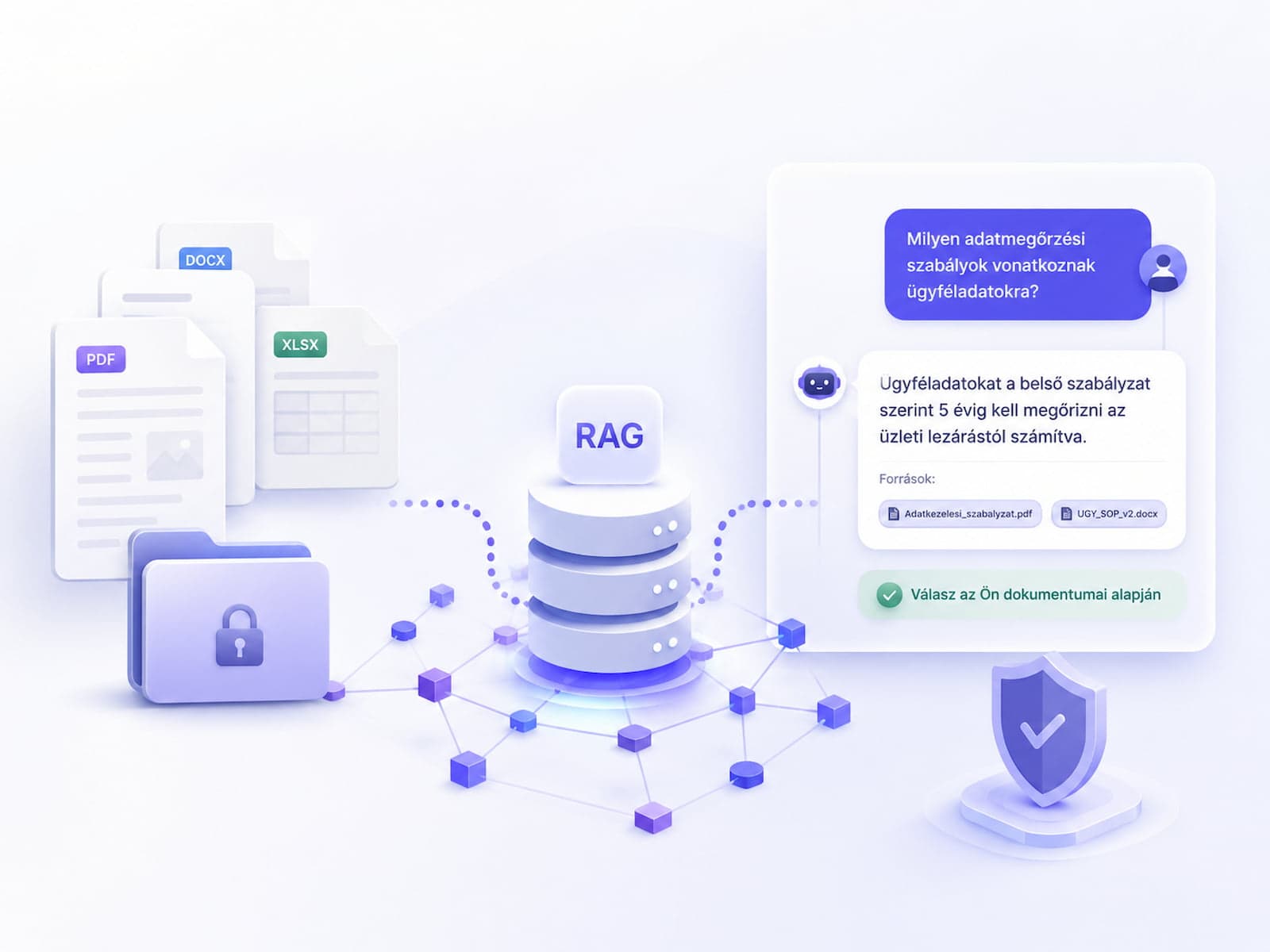
A "chat with our documents" style chatbot is no longer an experimental use case in 2026. Clients expect it, LLM APIs are stable, and vector databases are cheap. The hard part isn't the working prototype — it's the reliable production system that actually answers from the source documents, doesn't hallucinate, and is measurably accurate.
In this article we look at the actual production RAG stack: architecture, tool selection, the ingestion pipeline, hallucination handling and cost. The examples are optimised for a mid-sized corporate knowledge base (5,000-50,000 documents). We're drawing on implementations we've measured under live traffic, not conference slides.
What RAG is, and why a plain ChatGPT API call isn't enough
"Retrieval-Augmented Generation" (RAG) solves the problem that the base LLM doesn't know your documents. If you ask GPT-4o directly "what does the 2024 shipping SLA document say about the Q4 churn threshold", the answer is either "I don't know" or a plausible-sounding but made-up number. The model wasn't there when the document was written — anything published after its training cut-off is invisible to it.
RAG works in three steps. First, it turns the user's question into a high-dimensional vector (an embedding). Second, it searches the vector database for the top-k nearest document chunks. Third, the LLM receives that context together with the question and answers based on it. A "plain ChatGPT API call" only does step three — without context.
Why isn't fine-tuning enough?
Fine-tuning is an alternative direction, but it solves a different problem. It shapes the model's style, output format and domain-knowledge reflexes, but it does not bring in fresh content. If the company SLA document changes tomorrow, a fine-tuned model has no idea — not until you retrain it, which costs $10,000-20,000 and takes days for the full loop.
RAG, by contrast, updates instantly: as soon as you import the new document into the vector database, the model has access to it. The two techniques are often combined: fine-tuning for tone, RAG for content. In most production systems RAG alone is enough; fine-tuning only earns its place when tone and structured output are clearly off.
Why isn't a long context window enough?
The 2026 generation of GPT-4o and Claude Sonnet 4 models has 200K+ token context windows. The obvious question: why bother with a vector database if you can just dump the whole document corpus into the prompt? Three reasons:
- Cost. 50,000 documents × an average of 1,000 tokens = 50 million tokens per query. At GPT-4o's $2.5 per 1M input tokens, that's $125 per question. Nobody's paying that.
- Latency. Processing 200K input tokens takes 8-15 seconds. The user has already closed the tab by then.
- Accuracy. Long context triggers the "lost in the middle" effect: information sitting in the middle 50% of the context is often not reflected in the answer. The top-k chunks selected by RAG are concentrated relevance.
Tip: RAG doesn't replace fine-tuning or a long context window — they solve three different problems. Production systems often carry all three at once: a fine-tuned base model + RAG retrieval + targeted long-context use (e.g. summary generation).
Architecture overview — three layers plus eval
Every RAG system has three core layers:
- Ingestion — document import, chunking, embedding computation, writing to the vector database. Usually an offline (batch) process, run daily or weekly.
- Retrieval — a user question arrives, gets embedded, and the vector database returns a top-k lookup. Online, latency-sensitive (target: under 200ms).
- Generation — the LLM receives the context plus the question and answers with source citations. Online, typical latency 2-5s.
Alongside these you need an eval pipeline that measures accuracy against 50-200 manually labelled question-answer pairs. Without eval, you can't tell whether yesterday's prompt change improved or hurt things — production is flying blind.
Layer 1 in detail: ingestion
The ingestion pipeline has at least four steps: document loading (PDF, Word, HTML, Markdown), cleaning (removing headers/footers, fixing OCR artefacts), chunking (more on this below), embedding computation (batched API calls), and writing to the vector database. For a mid-sized corpus (50,000 docs), the first import takes 2-6 hours; subsequent updates are incremental.
This is where the pitfalls hide. A 200-page PDF can generate 600 chunks; if 10% of them are header noise, that's already 60 useless vectors polluting your search results.
Layer 2 in detail: retrieval
The retrieval layer only looks trivial from the outside (question comes in → embedding → vector DB → top-k). In reality, this is where most of the tuning opportunity lives: query expansion, hybrid search (BM25 + vector), metadata filtering, reranking. More on this below.
Layer 3 in detail: generation
The generation layer is a combination of the system prompt, context injection and citation enforcement. Model parameters (temperature, top_p, max_tokens) also live here. A well-designed generation layer can lift the end result from a 60-70% baseline to 90%+ accuracy — but only if retrieval is solid too.
Chunking strategy — where most projects go wrong
The idea of "just load every document into the vector DB" gets you to 60-70% accuracy — an actual production-grade result needs a chunking strategy.
Fixed-size chunking
The simplest approach: cut after every N characters (or tokens). Fast, deterministic, easy to reproduce.
def fixed_chunks(text: str, size: int = 800, overlap: int = 120):
    chunks = []
    start = 0
    while start < len(text):
        end = min(start + size, len(text))
        chunks.append(text[start:end])
        start += size - overlap
    return chunks
The problem: the cut can land mid-sentence, breaking the context. "The contract is to be reimbursed individually..." — and it stops there. The LLM has no idea how it continues.
Recursive character splitting
LangChain's RecursiveCharacterTextSplitter is smarter: it follows a hierarchical list of separators. It first tries to cut at paragraphs (\n\n); if that chunk is too big, it falls back to sentence level (. ), and finally to individual words ( ).
from langchain.text_splitter import RecursiveCharacterTextSplitter

splitter = RecursiveCharacterTextSplitter(
    chunk_size=800,
    chunk_overlap=120,
    separators=["\n\n", "\n", ". ", " "],
    length_function=len,
)

chunks = splitter.split_documents(documents)
chunk_size=800 characters (~150 tokens) with chunk_overlap=120 is an industry standard. The overlap ensures that if the cut lands in the wrong place, the affected sentence still shows up again in the next chunk.
Semantic chunking
The 2025-2026 generation: an LLM or embedding model detects the semantic boundaries. Wherever the cosine similarity between neighbouring sentences suddenly drops (>0.2), that's where you cut.
from langchain_experimental.text_splitter import SemanticChunker
from langchain_openai.embeddings import OpenAIEmbeddings

text_splitter = SemanticChunker(
    OpenAIEmbeddings(model="text-embedding-3-small"),
    breakpoint_threshold_type="percentile",
    breakpoint_threshold_amount=95,
)

chunks = text_splitter.create_documents([long_text])
More expensive (every sentence gets embedded once), but it preserves coherence. On an SME-sized domain it delivers a +5-8pp accuracy improvement over recursive splitting.
Document-type-specific chunking
Not every document is the same. A contract is structured very differently from a marketing FAQ:
| Document type |
Chunk size |
Overlap |
Note |
| PDF, legal text |
500-600 |
150 |
Lots of cross-references, needs a large overlap |
| Technical specification |
800 |
100 |
Well structured, a smaller overlap is enough |
| Marketing content, FAQ |
1200 |
80 |
Self-contained paragraphs, low overlap |
| Code documentation |
600 |
200 |
Code block integrity must be preserved |
| Email archive |
400 |
50 |
Short messages, minimal overlap |
It's simpler to detect document type via metadata than with an LLM: a documents/legal/*.pdf folder structure already gives you the hint.
Caution: Chunking isn't something you bolt on at the end. If your vector DB is already populated and you change the chunk size, every document has to be re-embedded — and the embedding cost is significant. Re-chunking a 50K-document corpus costs roughly $10-30, plus 2-4 hours of runtime.
Choosing an embedding model
The three main decisions are: vector DB, embedding model, LLM. The embedding model is often the least discussed of the three, yet it's what fundamentally determines retrieval quality.
| Model |
Dimensions |
Cost / 1M tokens |
Hungarian language |
Note |
| OpenAI text-embedding-3-small |
1536 |
$0.02 |
Good |
Default choice |
| OpenAI text-embedding-3-large |
3072 |
$0.13 |
Excellent |
More expensive, marginal gain |
| Cohere embed-multilingual-v3 |
1024 |
$0.10 |
Excellent |
Multi-language focus |
| Voyage AI voyage-3 |
1024 |
$0.06 |
Good |
New, fast |
| BAAI/bge-large-en-v1.5 (open-source) |
1024 |
$0 + infra |
Moderate (English-first) |
Self-hosted |
| intfloat/multilingual-e5-large (open-source) |
1024 |
$0 + infra |
Excellent (95+ languages) |
Self-hosted |
For Hungarian-language content, text-embedding-3-small or Cohere's embed-multilingual-v3 are the most reliable choices. text-embedding-3-large costs 6x more, but the real-world precision gain over the small model is only 1-2pp on a typical SME domain.
Self-hosted option: intfloat/multilingual-e5-large performs well (roughly 85-90% of the precision of the managed alternatives), and on GDPR-sensitive domains the data never leaves your own server.
Swapping embedding models — pricier than you'd think
If you switch embedding models mid-project (say, moving from text-embedding-3-small to text-embedding-3-large), every vector has to be recomputed. Re-embedding a 50K-chunk corpus costs roughly $50, plus 1-2 hours of runtime. Plan for this during the discovery phase.
Choosing a vector DB — comparison matrix
The vector DB market is mature in 2026. Five main options, each suited to a different use case.
| DB |
Self-hosted |
Managed |
Filter support |
Hybrid (BM25+vector) |
Entry pricing |
GDPR EU |
| pgvector (Postgres) |
Yes |
Supabase/Neon |
Excellent (SQL) |
Yes (pg_trgm + vec) |
$0 self / $25 Supabase |
Yes |
| Pinecone |
No |
Yes |
Good |
Yes (hybrid index) |
$70/mo |
EU region opt-in |
| Weaviate |
Yes |
Weaviate Cloud |
Good |
Yes |
$0 self / $25 cloud |
Yes |
| Qdrant |
Yes |
Qdrant Cloud |
Good |
Yes |
$0 self / $25 cloud |
Yes |
| Chroma |
Yes |
Chroma Cloud |
Moderate |
Limited |
$0 self |
Yes, self-hosted |
| Milvus |
Yes |
Zilliz Cloud |
Good |
Yes |
$0 self / $99 cloud |
Yes |
pgvector — the Corevanix default
On most SME projects we choose pgvector. Seven reasons why:
- Postgres is already there.
CREATE EXTENSION vector; on your existing DB server and you're done. No new vendor, no new monitoring, no new backup strategy.
- Native SQL filtering.
WHERE metadata->>'category' = 'legal' AND created_at > '2025-01-01' is plain SQL.
- Transactional guarantees. If the embedding computation and the chunk save happen in one transaction, partial failures don't leave orphaned chunks behind.
- Backup and disaster recovery are already routine. Vector data rides along in the existing Postgres backup pipeline.
- Cost. 50,000 documents × 4 chunks × 1536 dimensions × 4 bytes ≈ 1.2 GB. That fits comfortably in a $25 Supabase project.
- GDPR-friendly. Postgres hosted in the EU region — the data never moves to a US server.
- Easy migration. If you ever need to move to Pinecone (say, because you're storing 10M+ chunks), a single SELECT exports everything.
Pinecone — when is it the better choice?
If you're storing 10M+ chunks, need sub-100ms p99 latency, or your team doesn't have the bandwidth to manage sharding, that's when Pinecone or Qdrant Cloud come into play. At SME scale (50K-2M chunks), pgvector is more than enough.
Index type: HNSW vs IVF
Both are common options (HNSW: Hierarchical Navigable Small World; IVF: Inverted File Index). HNSW is more accurate and faster at query time, but costs more memory. IVF is cheaper but needs tuning (nprobe, nlist).
For an SME-sized corpus: HNSW is the default, with m=16, ef_construction=64. Above 10M chunks, it's worth moving to quantized IVF-PQ for the memory savings.
-- pgvector HNSW index
CREATE INDEX ON chunks
USING hnsw (embedding vector_cosine_ops)
WITH (m = 16, ef_construction = 64);
Query handling and context injection
If the user's question is short ("SLA"), the embedding won't carry much information. If it's long and full of noise ("hi, quick question, about the Q4 SLA..."), the embedding is just as poor. Two techniques address this: query rewriting and HyDE.
Query rewriting
We use the LLM to paraphrase the question into 2-3 variants, run each through retrieval, and union the top-k results.
expansion_prompt = """
Give 3 alternative phrasings of the following question
that would be useful for vector search.
Each should be 1-2 sentences, keyword-oriented.

Question: {user_query}

Output only the 3 alternatives, one per line, no numbering.
"""

alternatives = llm.generate(expansion_prompt.format(user_query=q)).split("\n")
all_chunks = []
for alt in [q] + alternatives:
    embedding = embed(alt)
    chunks = vector_db.search(embedding, top_k=10)
    all_chunks.extend(chunks)

deduplicated = deduplicate_by_chunk_id(all_chunks)
top_k = rerank_or_truncate(deduplicated, k=5)
Query rewriting delivers a +6-10pp recall improvement on an average domain, at the cost of one extra LLM call — $0.001-0.005 per query.
HyDE — Hypothetical Document Embeddings
A more advanced technique: we have the LLM generate a hypothetical answer to the question, and use that answer's embedding for retrieval. The logic: the hypothetical answer hypothetically uses the same vocabulary as the real source document.
hyde_prompt = """
Imagine a 3-5 sentence answer to the question below,
as if you were copying it from an internal document.
Make it technical and specific, even if you're making it up.

Question: {user_query}
"""

fake_answer = llm.generate(hyde_prompt.format(user_query=q))
query_embedding = embed(fake_answer)  # we embed the fake answer, NOT the original query q
chunks = vector_db.search(query_embedding, top_k=5)
HyDE delivers a +5-12pp recall improvement on hard domains (legal, medical, technical). But don't over-stack techniques: query rewriting + HyDE + reranking together slow down the pipeline, and the marginal gain diminishes.
Hybrid search — BM25 + vector
Pure vector search handles synonyms and context well, but it responds poorly to rare, specific keywords. For a query like "Circular KÜL-2024-7", classic full-text search (BM25) does better.
The solution: hybrid search. Both BM25 and vector search run, and the results are merged with reciprocal rank fusion.
def reciprocal_rank_fusion(results_lists, k=60):
    scores = {}
    for results in results_lists:
        for rank, doc in enumerate(results):
            doc_id = doc["id"]
            scores[doc_id] = scores.get(doc_id, 0) + 1 / (k + rank + 1)
    sorted_docs = sorted(scores.items(), key=lambda x: -x[1])
    return [doc_id for doc_id, _ in sorted_docs]

bm25_results = bm25_search(query, top_k=20)
vector_results = vector_search(query_embedding, top_k=20)
fused = reciprocal_rank_fusion([bm25_results, vector_results], k=60)
final = fused[:5]
On pgvector, hybrid search can be implemented with a single SQL CTE:
WITH semantic AS (
  SELECT id, 1 - (embedding <=> $1) AS sim
  FROM chunks ORDER BY embedding <=> $1 LIMIT 20
),
keyword AS (
  SELECT id, ts_rank(to_tsvector('simple', content), plainto_tsquery($2)) AS rank
  FROM chunks WHERE to_tsvector('simple', content) @@ plainto_tsquery($2) LIMIT 20
)
SELECT id, COALESCE(sim, 0) * 0.7 + COALESCE(rank, 0) * 0.3 AS score
FROM semantic FULL OUTER JOIN keyword USING (id)
ORDER BY score DESC LIMIT 5;
The 0.7 / 0.3 weighting is use-case-dependent. On a legal domain, 0.4 / 0.6 (BM25-weighted); on a marketing domain, 0.8 / 0.2 (vector-weighted).
Reranking — the last 10pp of precision
Vector search often surfaces the relevant chunk somewhere in the top 20, but not in first place. A reranker model is a second pass: it re-ranks the 20 candidate chunks more precisely and selects the top-5.
Two mainstream options:
- Cohere Rerank 3 — a managed API, $1 per 1,000 rerank calls, strong quality, also good in Hungarian.
- BAAI/bge-reranker-large — open-source, self-hostable, free, good quality (roughly 5-10% weaker than Cohere).
import cohere

co = cohere.Client(api_key="...")

reranked = co.rerank(
    model="rerank-multilingual-v3.0",
    query=user_query,
    documents=[c["content"] for c in top_20_chunks],
    top_n=5,
)
final_chunks = [top_20_chunks[r.index] for r in reranked.results]
Reranking delivers a +8-15pp precision improvement on hard domains. The latency cost is roughly 100-200ms (Cohere) or 50-100ms (self-hosted BGE on GPU).
Tip: Without reranking, the chunks that are actually relevant are often ranked 2nd and 7th rather than sitting in your top 5. In a 5-item context injection, that's the difference between "the answer is in there" and "close to the answer, but wrong."
Citation and confidence scoring
Context injection means passing the top-k chunks into the system prompt and explicitly instructing the model to answer only from the sources and cite its sources.
You are an internal document assistant.
Answer only based on information in the SOURCES below.
If the sources do not contain an answer, say:
"I could not find a clear answer in the documents."

Support every statement with a citation: [chunk_X]
Citation is mandatory, not optional.

At the end of your answer, give a CONFIDENCE score on a 0-100 scale:
- 90-100: The sources clearly support the answer
- 70-89: Supported, but with partial inference
- 50-69: Partial support, some details missing
- <50: Insufficient sources, the answer is uncertain

SOURCES:
[chunk_1] {content_1}
[chunk_2] {content_2}
[chunk_3] {content_3}
[chunk_4] {content_4}
[chunk_5] {content_5}

QUESTION: {user_query}
Post-processing runs two checks:
def validate_response(response: str) -> dict:
    citations = re.findall(r"\[chunk_\d+\]", response)
    confidence_match = re.search(r"CONFIDENCE:\s*(\d+)", response)
    confidence = int(confidence_match.group(1)) if confidence_match else 0
    return {
        "has_citations": len(citations) > 0,
        "citation_count": len(citations),
        "confidence": confidence,
        "valid": len(citations) > 0 and confidence >= 50,
    }
If valid=False, an automatic "I could not find a clear answer" response is returned, plus a log entry in the human-review queue.
Hallucination management — 3 layers of defence
We cover the full 7-layer hallucination defence in a separate article: 7 defences against LLM hallucinations. Here's the RAG-specific part:
- Confidence threshold: if the top-1 cosine similarity is below 0.7, the system automatically outputs "no relevant answer found." This is independent of the LLM's response — a retrieval-level signal.
- Citation requirement: the system prompt explicitly asks for a source identifier. If the LLM doesn't provide one, it's filtered out in post-processing (see the code above).
- Self-consistency: for critical answers, generation runs three times with different seeds; if the results diverge, we flag it to the user or hand off to a human.
Together, these three layers lift precision from a 60-70% baseline to 92-95% on a mid-sized domain — based on eval-set measurements.
The eval pipeline — the backbone of the project
Without eval, the RAG pipeline is flying blind. You need at minimum 50, ideally 100-200, manually labelled question-answer pairs:
eval_dataset = [
    {
        "question": "What does the 2024 shipping SLA say about the Q4 churn threshold?",
        "expected_answer_keywords": ["Q4", "churn", "8%"],
        "expected_chunks": ["doc_42_chunk_3", "doc_42_chunk_4"],
    },
    # ... 100+ further
]

def eval_run(rag_pipeline, dataset):
    results = []
    for case in dataset:
        response, retrieved_chunks = rag_pipeline.answer(case["question"])
        keyword_hit = all(kw in response for kw in case["expected_answer_keywords"])
        chunk_hit = any(
            c["id"] in retrieved_chunks for c in case["expected_chunks"]
        )
        results.append({
            "question": case["question"],
            "keyword_pass": keyword_hit,
            "chunk_recall": chunk_hit,
        })
    return results
The eval set runs in CI on every prompt or config change. If precision drops below 90% (or whatever the project's target is), the deploy is blocked.
Note: The eval set itself needs maintenance. We expand it based on new use cases, edge cases and user feedback. During discovery, we collect 50-100 real questions with the partner team and label them.
Deployment stack — two directions
Vercel / cloud-managed (default)
On most projects, this is what we recommend:
- Frontend / API: Next.js on Vercel
- Vector DB: Supabase pgvector (EU region)
- Embedding: OpenAI text-embedding-3-small
- LLM: OpenAI GPT-4o or Anthropic Claude Sonnet
- Monitoring: Sentry + PostHog
- Cache: Vercel KV (semantic cache, 24h TTL)
Setup time: 1-2 weeks to MVP. Monthly cost: $50-200 at SME-scale traffic.
Self-hosted (GDPR priority)
For data-sensitive domains:
- Frontend / API: Next.js in Docker, internal Kubernetes
- Vector DB: Postgres + pgvector, on-prem
- Embedding: Ollama +
intfloat/multilingual-e5-large on a GPU instance
- LLM: Ollama + Llama 3.3 70B (or Qwen 2.5 72B, which performs well in Hungarian)
- Monitoring: self-hosted Sentry + Prometheus + Grafana
Setup time: 3-6 weeks. Monthly cost: $300-800 (GPU instance + ops). No token cost, but infra cost instead.
Cost estimate — 50K documents, 200 queries/day
| Item |
Cloud (managed) |
Self-hosted |
| Embedding ingestion (50K, one-time) |
$10 |
$0 + 2-4 hours runtime |
| Embedding queries (200/day × 30) |
$5 |
$0 + GPU |
| LLM generation (GPT-4o, ~1,500 tokens avg.) |
$120 |
$0 + GPU |
| Vector DB hosting |
$25 (Supabase Pro) |
$0 + Postgres VM |
| Reranking (Cohere, 200/day) |
$6 |
$0 + BGE GPU |
| Frontend / API hosting |
$0 (Vercel free tier) |
$20 VM |
| GPU instance (self-hosted LLM, A100 24/7) |
n/a |
$400-700 |
| Monitoring |
$0 (free tier) |
$25 (self-hosted alert manager) |
| Monthly total |
~$166 |
~$445-770 |
Self-hosting looks worse on cost at low traffic, but above roughly 1,000 queries/day, LLM token cost overtakes GPU cost. Past that point, self-hosting becomes the more economical option.
Cost optimisation — semantic cache
If many users ask similar things ("what's the vacation policy?", "how many vacation days do I have?"), it's worth adding a semantic cache layer. The incoming question gets embedded, and if the cache holds an earlier query with 0.9+ cosine similarity, the cached answer is returned.
def get_cached_response(query: str, threshold: float = 0.9):
    query_emb = embed(query)
    closest = cache_db.search(query_emb, top_k=1)
    if closest and closest[0]["similarity"] > threshold:
        return closest[0]["response"]
    return None
Typical cache hit rate: 25-40% on repetitive domains. That translates into a net 25-40% reduction in token cost.
Prompt caching — a provider-level discount
OpenAI and Anthropic APIs introduced prompt caching in 2024-2025. A repeated system prompt is billed at a 50-90% discount. This is automatic — the only thing to watch is not changing the system prompt on every query.
Monitoring and observability
A production-grade RAG system needs monitoring across three dimensions:
- Latency: p50, p95, p99 for the full round trip. Target: p95 under 3s, p99 under 5s.
- Cost: token usage per query, tracked daily and monthly, broken down by model.
- Quality: eval-set accuracy on every release (automated in CI), plus collecting user feedback (thumbs up / down).
import sentry_sdk
from posthog import Posthog

posthog = Posthog(api_key="...", host="https://eu.posthog.com")

def track_rag_event(user_id, query, response, latency_ms, tokens, cost):
    posthog.capture(
        distinct_id=user_id,
        event="rag_query",
        properties={
            "query_length": len(query),
            "response_length": len(response),
            "latency_ms": latency_ms,
            "input_tokens": tokens["input"],
            "output_tokens": tokens["output"],
            "cost_usd": cost,
            "has_citations": "[chunk_" in response,
        },
    )
Analysing user questions shows you which document chunks are missing: a low top-k similarity score, or a user rating the answer negatively. These gaps become the input for the next ingestion batch.
Further reading: the OpenAI evals repository and the Ragas framework — the latter covers RAG-specific metrics precisely (faithfulness, answer relevancy, context precision).
When you do NOT need RAG
A few cases where RAG is over-engineering:
- Fewer than 100 documents that rarely change. It's simpler to just drop the whole thing into a long-context prompt (Claude 200K).
- The user's question is highly structured. E.g. "what's the price of product X?" — here an SQL query against the catalogue DB is the better fit.
- The answer needs to be creative. Marketing copy, brainstorming — source-grounding gets in the way here.
- A real-time streaming feed. News, social media — the embedding pipeline is too slow; use an LLM with web-search tool calling instead.
Wrapping up
RAG isn't rocket science in 2026 — a working prototype takes a week. The hard part is maintaining the eval set, covering edge cases, and monitoring cost. If you're serious about using it, plan for an 8-12 week project running through discovery → PoC → MVP → production:
- Weeks 1-2: Discovery, document corpus audit, building the eval set (50-100 cases).
- Weeks 3-4: PoC — basic ingestion + retrieval + generation, measured against the eval set.
- Weeks 5-7: MVP — hybrid search, reranking, citations, monitoring.
- Weeks 8-10: Hyper-care — iterative tuning under live traffic, expanding the eval set.
- Weeks 11-12: Handover, documentation, support runbook.
Total cost (build + 3 months of hyper-care): 2.5-5M HUF at SME scale. Monthly operating cost ($150-700) comes after that.
If you're planning an AI project, let's talk it through on a 30-minute call. After discovery, we'll give you a concrete scope and fixed pricing. Further reading: the lead assistant case study draws lessons from a real live project, and AI implementation at Hungarian SMEs covers SME-specific ROI calculations.